
CLICK IMAGE TO EXPAND
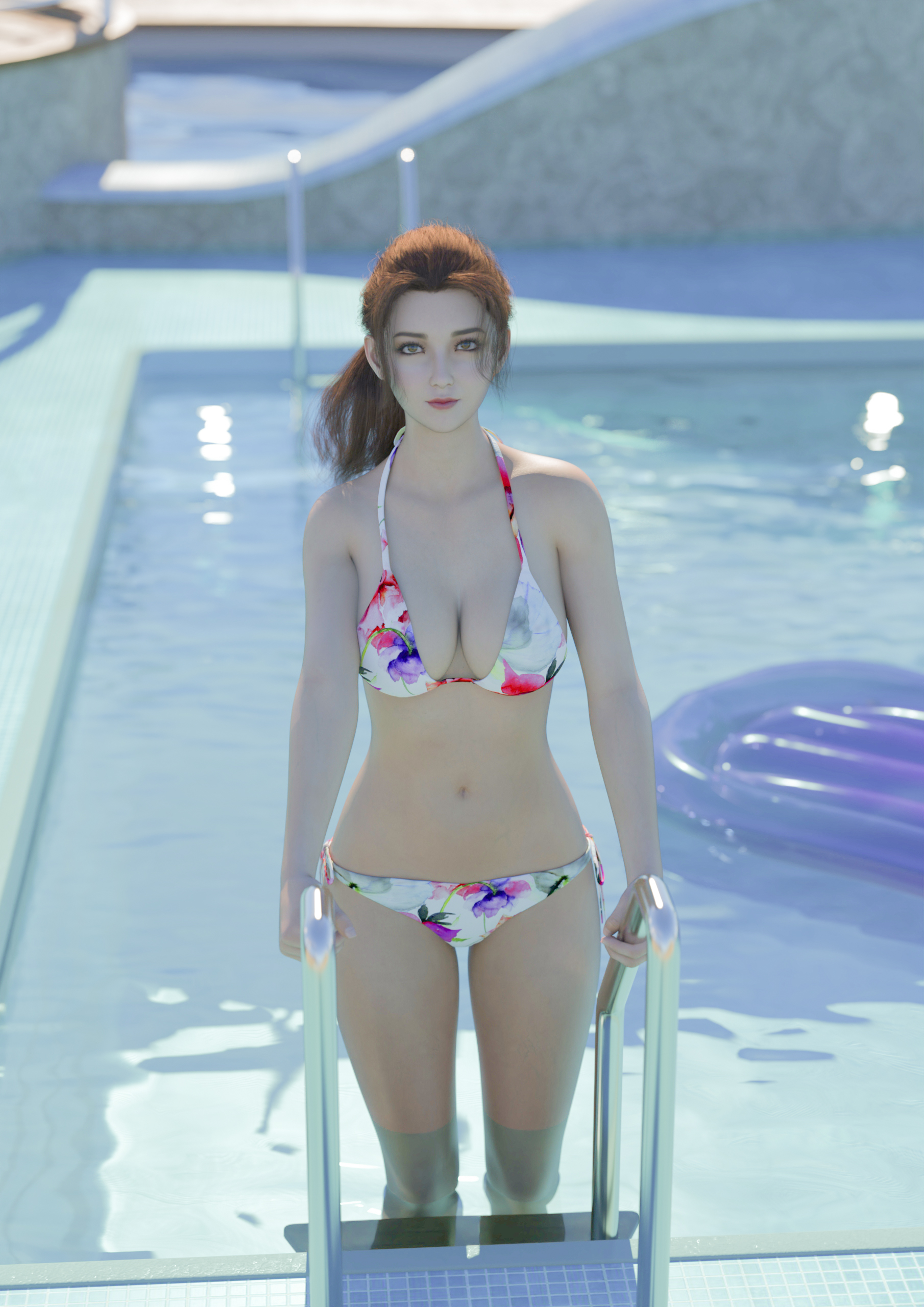
Started with a Genesis 8 Female Template.
Added a pool environment.
Added a floating pool lounger.
After I created the model from the template, I added her to the scene...added a swim suit as well.
Added texture and color to skin, hair and swimsuit.
1st Pre-Photoshop Render in Daz3D
Post Photoshop Render - changed the hue, exposure, ambient light, enhanced the blues in the render, added a little sunshine to her head and shoulder, tweaked the color balance to make the skin and water look a bit more realistic.
Tools, assets and techniques used:
Daz3D Studio, Iray and Photoshop
Genesis 8 Female Template
Hotba Hair
BSB Clothes
HDRI, Daz3D and Photoshop Lighting
Cruise Ship Pool Deck Environment
JW Pool Water
In Summary:
- I start out with a model template and morph the body physically.
- I put the body into a position, change facial expressions, add makeup, dress the model, add skin texture, props, etc…
- I either can embed the character into the background or wrap the environment around the character, then add lighting and camera settings, like depth of field.
- Rendering times can take 10 minutes to 2 hours per render.
- Postwork in Photoshop (adding imperfections in the skin, changing atmosphere, creating depth of field, etc…)
Stay frosty people.