
When creating a post on steemit featuring a photo, you might experience problems with how the photo is displayed. Most likely one or both of the following problem occur:
- Your photo is larger than what can be displayed on a normal monitor, you have to scroll down to see the rest of your photo. The overall experience when looking at the photo is disturbed.
- The time it takes to load your photo is too long. Viewers with a weak connection might not be able to fully load you photo on their device.
There are tips to be found on steem where it's sugested to use a specific steemit-URL to resize your photos. But this doesn't seem to work anymore. Also, with a automatic resize-URL the original photo still needs to be loaded by the website which in turn leads again to a longer loading-time.
With this short tutorial I'll show you how to use the very light-weight software Irfanview to resize your photo to an reasonable size, uploading it to steem and linking your full-resolution photo to you displayed resized photo.
Resizing with Irfanview
If you haven't already, you need to download the Software from irfanview.com. Installation should be easy and be quickly done. Once this is done, you can use the software without anything further to do (except you are using the software for commercial projects).
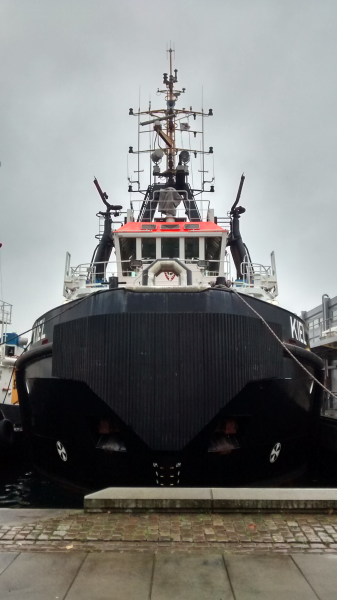
For this example I'm using a photo from my smartphone, which is larger than what can be displayed on my monitor. If you want to play along, you can do so by opening this link and download the photo to your machine.
Once everything is ready, open your picture with Irfanview and click 'Image' and then 'Resize/Resample' (Hotkey: Ctrl+r). The new window contains a few information for you and some options. The window should look like this:
Irfanview: Resize/Resample image
The current size of the photo is 1456 x 2592 pixels, which is an considerably large photo. Now we need to resize the photo in a way that it loads quickly, fits on most devices screens and still looks decent. A photo that is taken in a landscape-format (wider than its high) will automatically resized by your browser, a photo in portrait-format (higher than wide), like the one we are using, will not be resized by the browser. Taking all this into account, I would aim for not more than 600 pixels in one direction. Applying this to my picture, setting the width to 600 pixels gives us a picture that is with 1068 pixels way to high. Instead we set the height to 600 pixels and the resulting photo has the dimension of 337 x 600 pixels.
It is absolutely crucial to make sure, that the option 'Preserve aspect ratio (proportional) is ticked.
All that is left to do is accepting the changes by clicking 'OK'. If you want to, you can save your work now, but if you move right on there is no need to do so.
Uploading the resized photo to steem
We now use the very easy way to upload a photo to steem. In Irfanview, with the resized photo still opened, click on 'Edit' and 'Copy'(Hotkey: Ctrl+C). Switch now to your new post on steem, jump with your cursor to where you want the resized photo to appear, right-click your mouse and choose 'Paste'(Hotkey: Ctrl+V). The photo will be uploaded to steem and you can use it.
Linking the full-resolution photo to your post
The resized photo was uploaded to steem and generated in your post-form something like this:
Unfortunately we need to expand this command a little to make it work for us. Here you can see how the expanded code looks like and where which data goes:
[](delete text between those brackets and upload you full-resolution picture here the way you usually do it)
Please keep in mind, that the code mentioned above needs to be in one line an can only be broken into two lines of text by your browser. If you hit 'Enter' to achieve this, your code will not work.
If you feel fancy, you can center your photo and add a subtitle too. The full code as I'm using it looks like this:
<center>
[](https://steemitimages.com/DQmahHHE7PLL3qU2GxvbSw5Fou6tmBZEGHwcEnY5adL4B5K/image.png)
<sup> *Make sure to (right-)click that picture for full resolution*</sup>
</center>
The result
Go ahead and have a look at it in my other post. Click here!
More to read
- Markdown Styling Guide, as linked when you write a new post
- Including images in your posts, steem-wiki
- The perfect dimensions for the main image in your Steemit.com post are... by
@pkattera
- Template Is Use To Post Photos by
@juliank
I hope that this post helped you a bit. Let me know what you think and also hints to mistakes are highly appreciated! Thanks for reading :-)