
Since the introduction of the Account model we have to deal with two different models in the #BitShares reference Client GUI, Wallet and Account model.
This has raised numerous questions in the support channels and often it is not obvious which model the user has chosen.
Here are my suggestions to ease the user decision to choose a model and how each model is presented in the GUI.
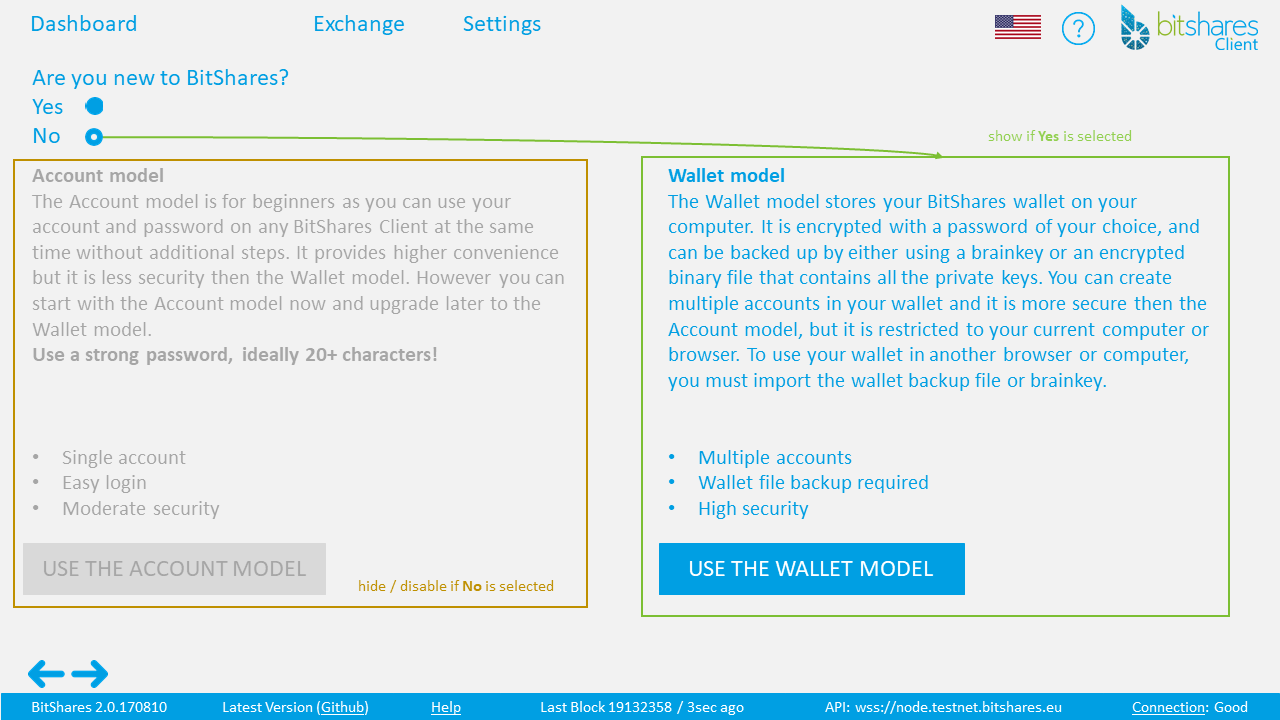
First I suggest to simplify the account creation page in the GUI by adding a simple radio button question.
Are you new to BitShares?
- Yes (
show Account model/grey out Wallet model) - No (
show Wallet model/grey out Account model)
Account model text
Account model
The Account model is for beginners as you can use your account and password on any BitShares Client at the same time without additional steps. It provides higher convenience but it is less secure then the Wallet model. However you can start with the Account model now and upgrade later to the Wallet model.
Use a strong password, ideally 20+ characters!
- Single account
- Easy login
- Moderate security
Wallet model text
Wallet model
The Wallet model stores your BitShares wallet on your computer. It is encrypted with a password of your choice, and can be backed up by either using a brainkey or an encrypted binary file that contains all the private keys. You can create multiple accounts in your wallet and it is more secure then the Account model, but it is restricted to your current computer or browser. To use your wallet in another browser or computer, you must import the wallet backup file or brainkey.
- Multiple accounts
- Wallet file backup required
- High security
Secondly, I suggest to change how each model is presented in the GUI as followed.
- Detect if Wallet or Account model is enabled.
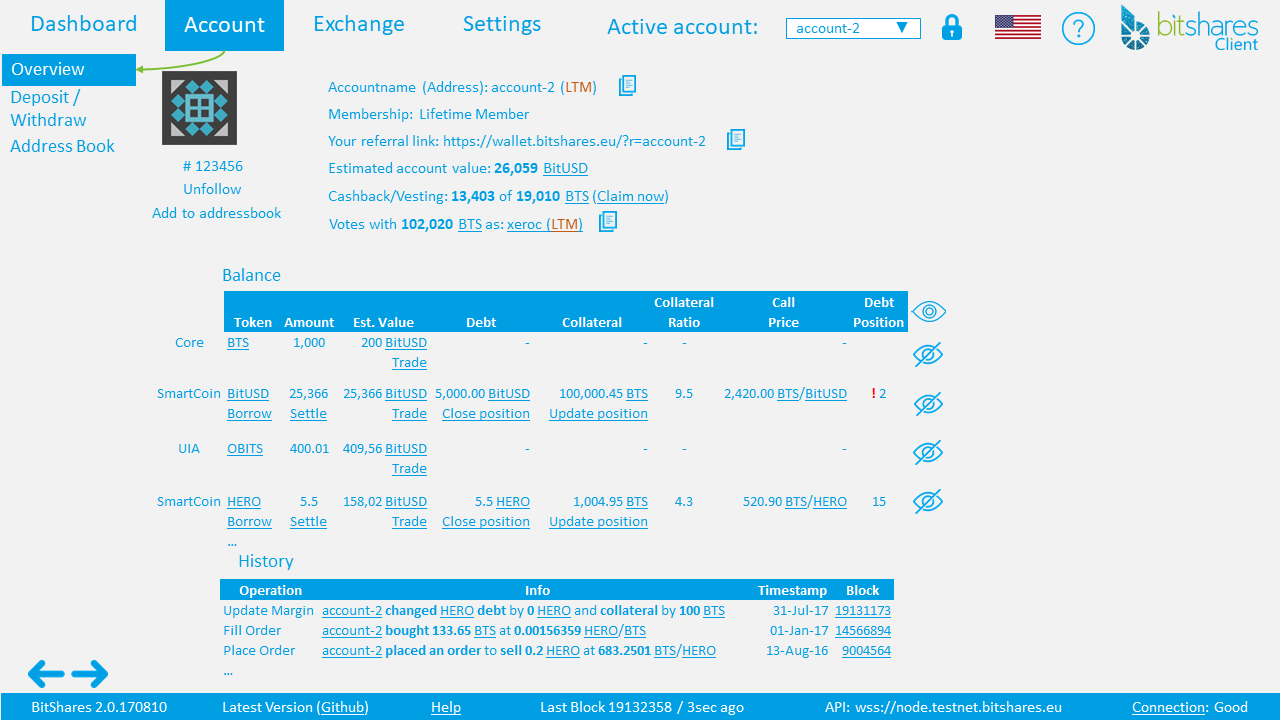
- If Account model is enabled show ACCOUNT in header menu and sub-menu OVERVIEW as account page
- If Wallet model is enabled show WALLET in header menu and sub-menu OVERVIEW (all accounts) and ACCOUNT as account page
- Also if Wallet model is enabled make "Active account" field in header menu a drop-down list to select a different account from wallet.
Wallet model
Menu: Wallet -> Overview
Show all accounts (including following accounts)
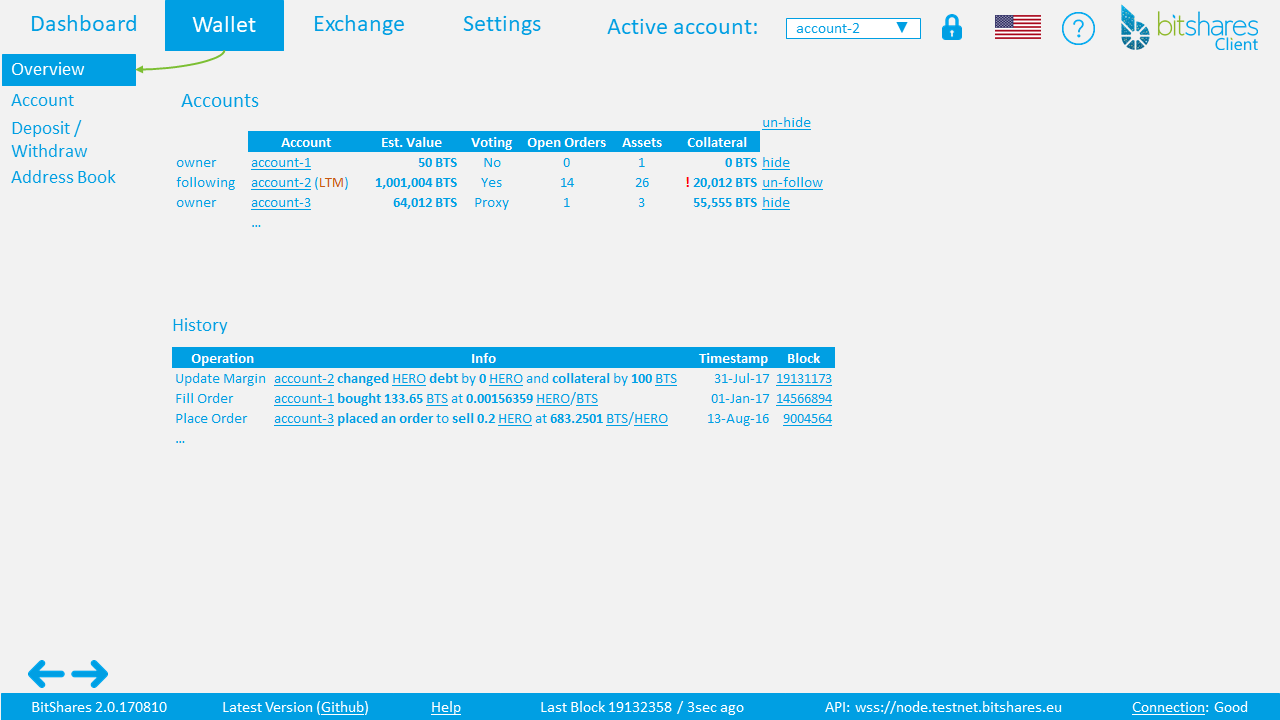
- Account table (
sortable) - owner or following
- Account name
- Est. Value
- Voting (
Yes/No/Proxy) - Open Orders (
number of open orders and link to open orders) - Assets (
number of assets) - Collateral (
debt in BTS, warning if a debt position is low [e.g. one of last 5 least collateralized positions]) - Account
un-hide-all/hide/un-hide/un-follow
- Combined History (
including following accounts)
Wallet -> Account
Show active account page
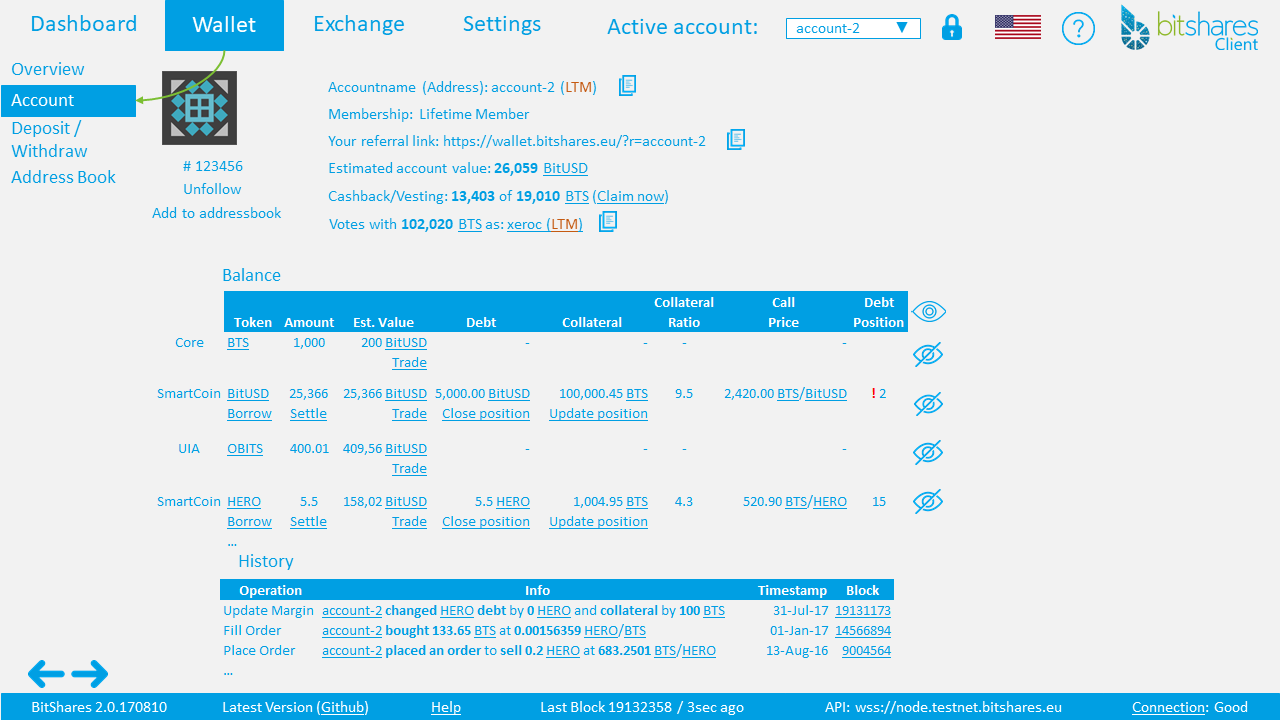
- Icon
- Account ID
- Accountname (
option to unfollow if followed) - Estimated account value: 999 BitUSD
- Membership: Standard or Lifetime(
link to Membership page) - (
if LTM)Your referral link:https://wallet.bitshares.eu/?r=accountname(copy function) - Cashback/Vesting: 13,403 of 19,010 BTS (
claim function or link to membership page) - Votes with: 102,020 BTS as xeroc (
not voting(link to voting)/voting stake and if set the "proxy" account)
Balance table
- Token type (
UIA/SmartCoin ...) - SYMBOL (
link to token page) - Est. Value (
show value and link to releated exchange trading pair with most volume in 24h) - Debt (
show value, token and link to "Close position") - Collateral (
show collateral and link to "Update position") - Collateral Ratio (
CR) - Call price
- Debt position (
count from least collateralized position, 1-5 Warning, >5 OK, tooltip=add more collateral or you risk a margin call) - Token (
hide/un-hide/un-hide all)
History table
- Operation
- Info
- Timestamp
- Block nr.
Account model
Account -> Overview
Show active account page
This proposal has been published in github here: https://github.com/bitshares/bitshares-ui/issues/301
See also my last #BitShares proposal: https://steemit.com/bitshares/@btswolf/bitshares-deposit-withdraw-engine-upgrade
If you like this post please Upvote and Resteem.
Thank you and good luck