

Hello everyone today we will learn how to unblock websites without any vpn or proxy.
it's so simple method to unblock websites .
so how we can unblock website and gain access blocked websites?
You can do this by changing the DNS of your computer:
Go to your network icon and right on it then click on Open Network and sharing Center
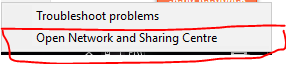
after that an window will popup and then click on change adapter settings
then another window will popup and you right click of your ether network icon
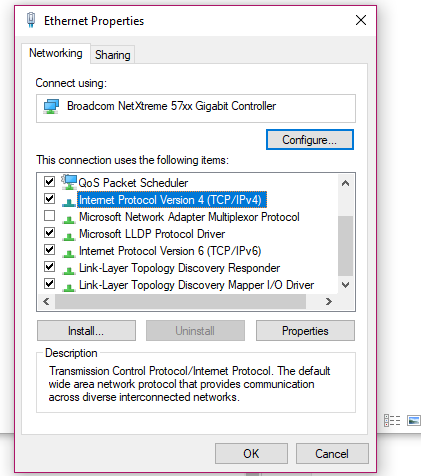
and click properties and again window will popup then scroll down and right click on
Internet Protocol Version 4 and click on properties button.
Preferred DNS server: 8.8.8.8
Alternative DNS server: 8.8.4.4
it should be look like this:
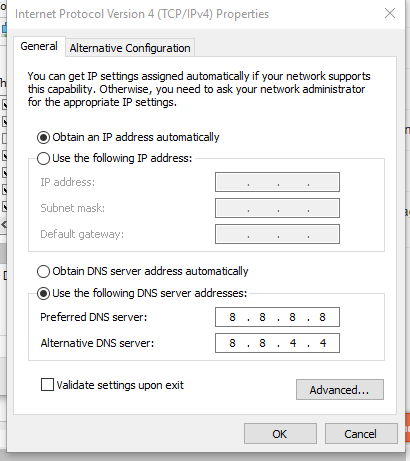
And click OK and try to open blocked sites it will unblock all websites
if you still can't open then restart your router and try again ;)
i hope you understand it well :))
@Ammadkhalid