
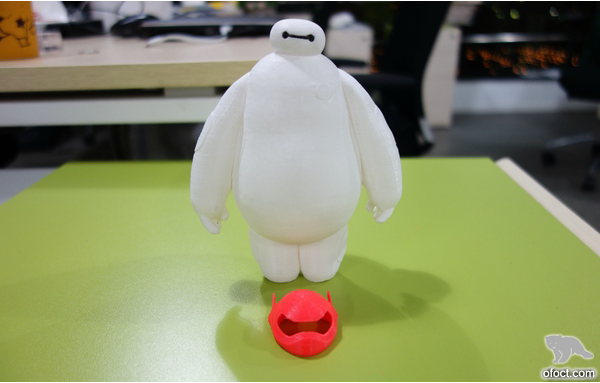
3D printing technology is very popular nowadays. On internet, and in life, we can find many of things that are printed by 3D printer. It is pretty interesting. The paper discusses about 3D printer. If you are interest in 3D printer, yet you don’t have a clue of it, this paper can get you started from the starting line, introduce you the basic principles of 3D printer, how to select for purchase, how to establish a model, and how to print. Hope you can print a lovely Baymax (Disney animation protagonist) after reading the paper.
Knowledge Preparation
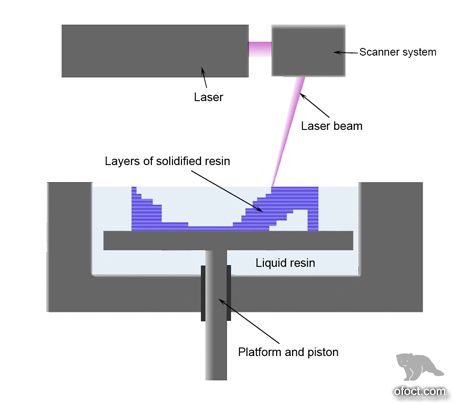
3D printing is a process of continuous adding, the layering of raw materials under computer control. There are a number of technologies as below:
- Taken high polymer reaction as basic principle (SLA, Polymer Printing, Polymer Jetting, Digital Lighting Processing, Micro Stereolithography).
- Taken sintering and melting as basic principle (SLS, SLM, EBM).
- Taken powder-binder as basic principle (3DP, Zcorp, voxeljet).
- Fuse deposition modeling technology (FDM).
- Layer lamination manufacturing technology (LLM).
- Aerosolprinting technology (Aerosolprinting).
- Bioplotter technology (Bioplotter).
Each adding manufacturing technology possesses dissimilar principles. Yet, at the core, all aim to produce a layer based on computer data, and then produce one more layer upon the existing layer, and so on, until the entire three-dimensional model is established.
How to select a home-use 3D printer
The key factor in selecting 3D printer is stability and convenient use.
It is only for your own use, it is suggested not to consider color printing. It is not reliable. Color effects of low price printer are very poor. Layer thickness precision supported is similar. There is not much difference.
In aspects of mechanical precision, it is suggested to purchase those that look stable. If you have strong operational skills, you can purchase aluminum frame kit and assemble on your own.
As a beginner, you don’t have to consider what parameters are important. Select one that is already assembled, and at best, brand one with good comments, certain reputation, and some after-sales supporting. This can avoid many of the problems in future use, and get you experience the fun of successful printing. Interest can be kept on, and skills can then be deepened. I suggest that you can consider FlashForge, which has relatively high cost performance and four and half star favorable reception on Amazon.
How to set a model
At present, regardless of what kind of 3D printing, STL format file is usually applied. STL file, to put it simply, is a file format with triangle representing substance. This format is defined by the person who first invented 3D printing, and has now became default industry standard in the field of image processing. Today, there is a bunch of people who are trying to promote a 3D printing file with AMF format, which mainly adds information on model material, texture, color, etc. Perhaps in future, as technology progresses, color printing will become the mainstream, and this file format may gradually substitute STL. However, at the moment, STL format file is still the mainstream. As well, most printers support obj format files, though not often. Hence, STL is the mainstream.
Modeling software includes 3D max, AutoCAD, Solidworks, Pro-E, Catia, etc. It may be hard for you to use PROE, 3DMAX, MAYA, which are highly professional. It is recommended to start from Sketchup released by GOOGLE. It is considered entry-level 3D modeling software. And also, Rhino, Blender, and Zbrush which is simpler. I’ve used Blender. It is an open source modeling software, for free. I only used its basic functions. Models designed by this type of software needs to be converted into printable STL file. There may be some structural errors to be handled with. And the frequent software for modification are Meshmixer, Meshlab, netfab. I mostly useMeshmixer. It possesses rich functions, and is free of charge. And it is specifically applied for 3D printing model processing.
Nevertheless, as a beginner, you can find ready-made models, e.g. model community (Thingiverse), where there are a lot of beautiful Baymax models.
Select printing material
There are several categories: plastic, metal, ceramics, sugar, sand, etc.
Frequently used plastic materials: ABS, PLA, nylon, photosensitive resin, rubber.
Frequently used metal: stainless steel, titanium, aluminum, and various alloys.
Desktop 3D printer consumables, mainly include three, ABS (Acrylonitrile Butadiene Styrene), PLA (Poly Lactic Acid) and PVA (Polyvinyl alcohol). ABS is the cheapest, with melting point in between 215 ℃ and 250 ℃. PLA is more environmentally friendly, and with lower melting point. Given that desktop 3D printer has patent restrictions, and often has to use open print cartridge design, print compartment temperature is difficult to ensure. Therefore, it is more appropriate to use PLA. PVA is usually used for printing support portion.
As for printing supplied, PLA is recommended for self use, which has no smell. And this one on AMAZON is recommended.
Start Production
Design Production:
use modeling software to create CAD models and ultimately export STL files. If you downloaded the existing model, you can skip this step.Slicing:
Import STL file generated into printer supporting software, obtain files after slicing. Then, import file into printer printing program. (Basically, all FDM printers have the same step like this.)Printing Phase:
Printer starts to print. It takes some time, and perhaps for a night.Post Processing:
Pose processing is conducted based on the different printing materials. (In general, FDM machines require manual removal of supporting. Advanced FDM machines depend on water-soluble means to remove supporting.)
Achievements Appreciation
Front of Baymax
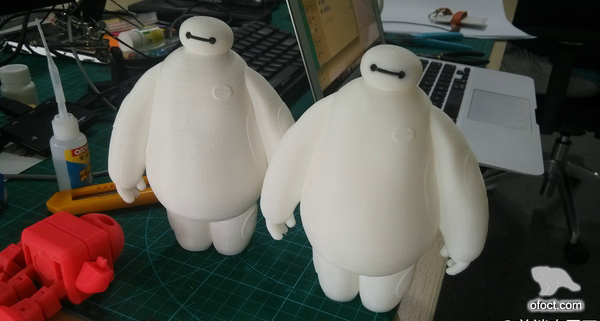
Back of Baymax
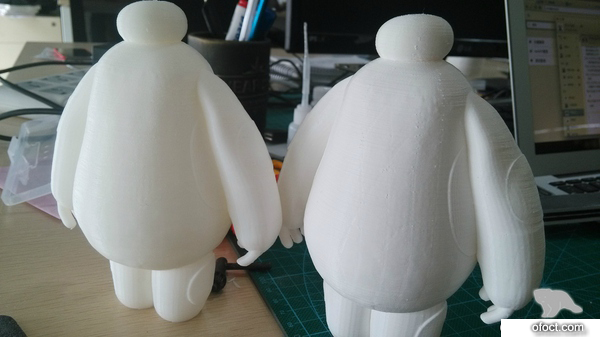
Baymax in Helmet
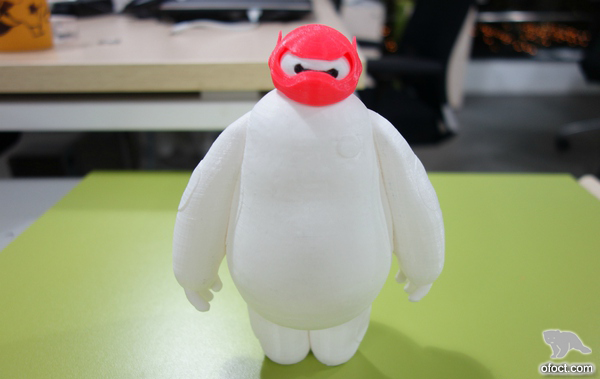
Baymax in Helmet 2
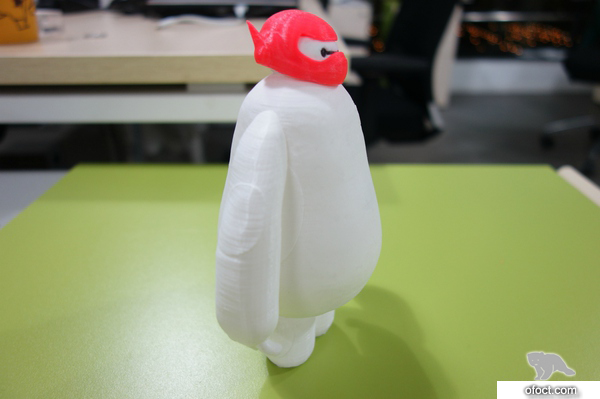
Baymax in Helmet 3
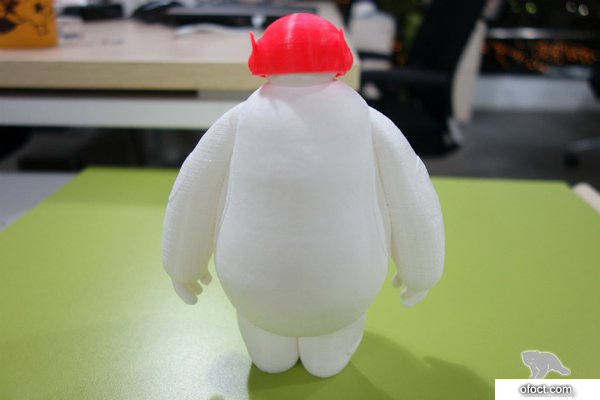
Baymax in Helmet 4
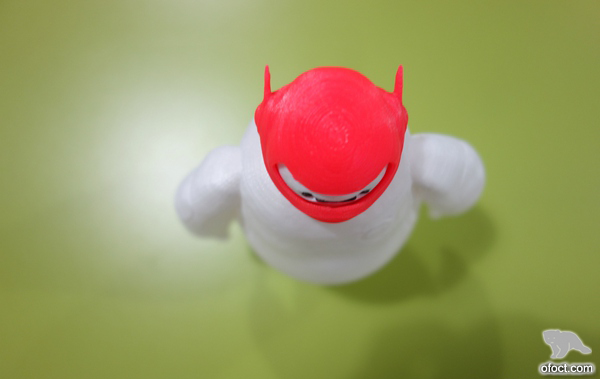
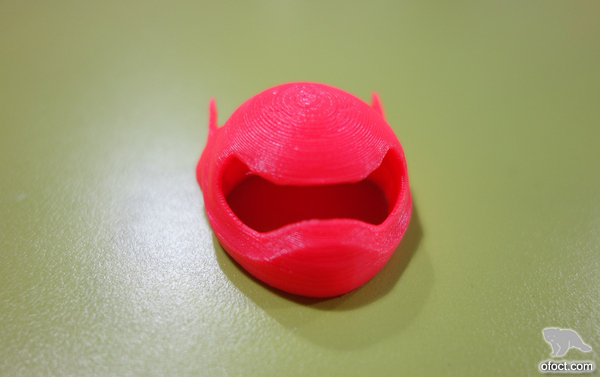
Helmet
(Author:前端农民工 Source:zhihu.com, ofoct.com translate to English version)